SkyWin HowTo — Personal Information Page
How to set up and use the Personal Info Page with individual login
Overview
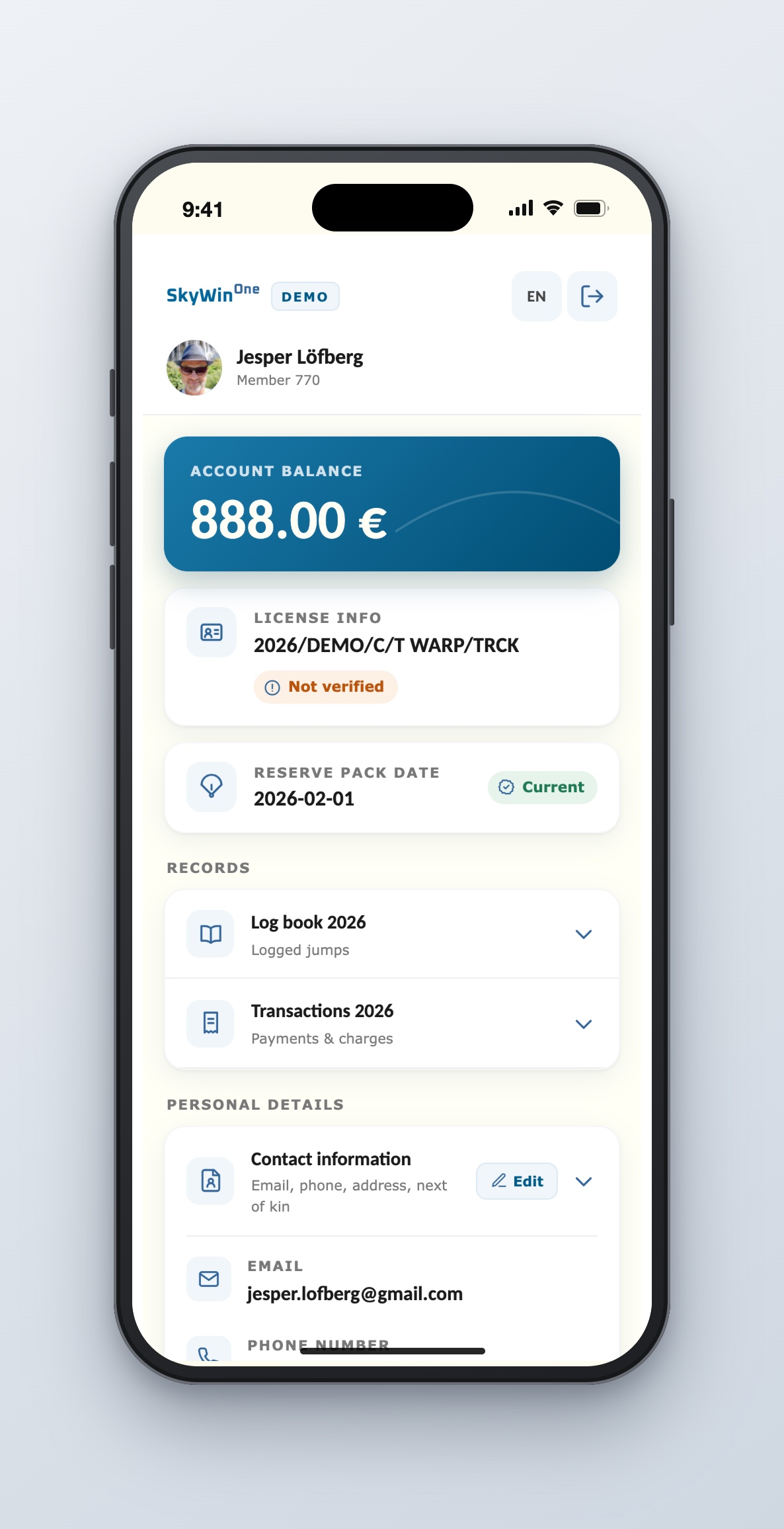
The Personal Info Page lets skydivers view their information from SkyWinOne at any time. The purpose is to always have accurate information easily at hand.
Contact information can be changed by the member to kep it actual and accurate.
Content
Header
Account balance and current license information. There is also a Logout link and a Language selection.
Log book
All logged jumps shown, grouped per year, defaulting to the current year. The user can select another year if present.
Not landed jumps are shown with a colored background.

Transactions
All monetary transactions shown, grouped per year, defaulting to the current year. The user can select another year if present.
Rows with a red background have a negative amount (which does not necessarily indicate something negative).

Contact information
Personal contact information.

Access
To access your personal information page, go to the SkyWinOne address given by your administrator (e.g. https://skywin.<clubname.com>), followed by /info/<your member number>.
If prompted to log in, use your Member Number as username and the password provided by your administrator.
Example page: https://demo.skywin.se/skywinone/info/770
Administrator setup
Creating a personal login
To let skydivers access their personal information page, they need a personal login. Create it from the Member page using the Add Login link in SkyWinOne.
After creating the login, an email is sent with the SkyWinOne address and username. Please provide the password you set — to the skydiver.

Club logotype
Show your own logotype on the Personal Information Pages by adding a link in Settings | System parameters → Clubpicture.
(If you want your logotype included in SkyWinOne to avoid unnecessary internet connectivity, please send the image to us and we'll include it in the next release.)

Coming soon
- Create personal logins for many members at a time, using predefined Selections
- Let Members update their own contact information